Filename-specific classification
Before
Screenshot_2026-08-20.png
After
Images/Screenshots, with the filename signal included in the reason
See Cleanora's Windows test environment, 58 passing backend checks, real planner and output screenshots, representative classifications, and test limitations.
On September 6, 2026, Cleanora passed all 58 backend regression tests in 3.503 seconds on Windows 11 Pro with a Core i5-8350U and 8 GB of RAM. The suite covers metadata-only scanning, deterministic classifications, exact destination planning, conflicts, execution, audit history, and undo. Test-suite runtime is not the same as real-folder organization time.
The automated suite and interface captures document different parts of the same review-first workflow.
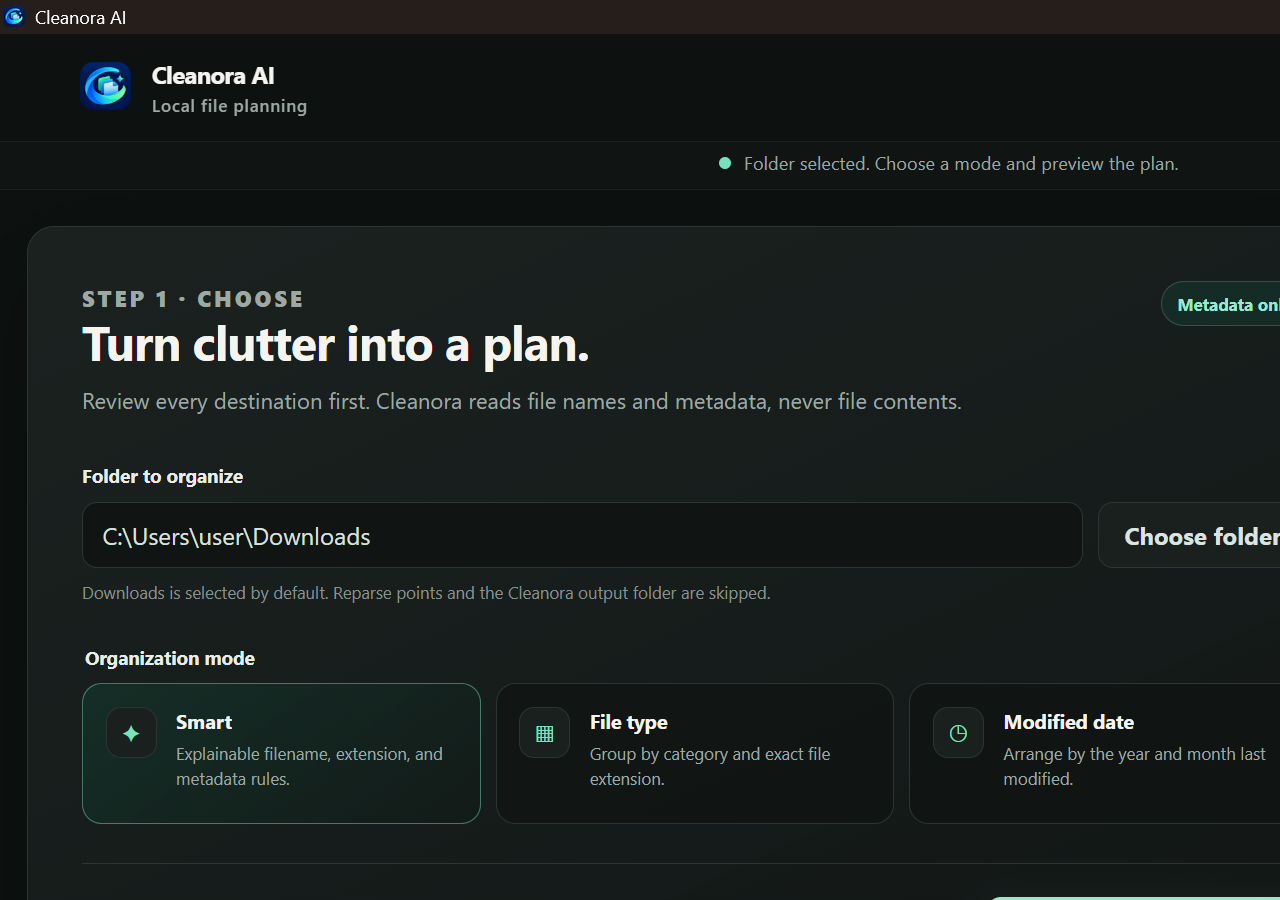
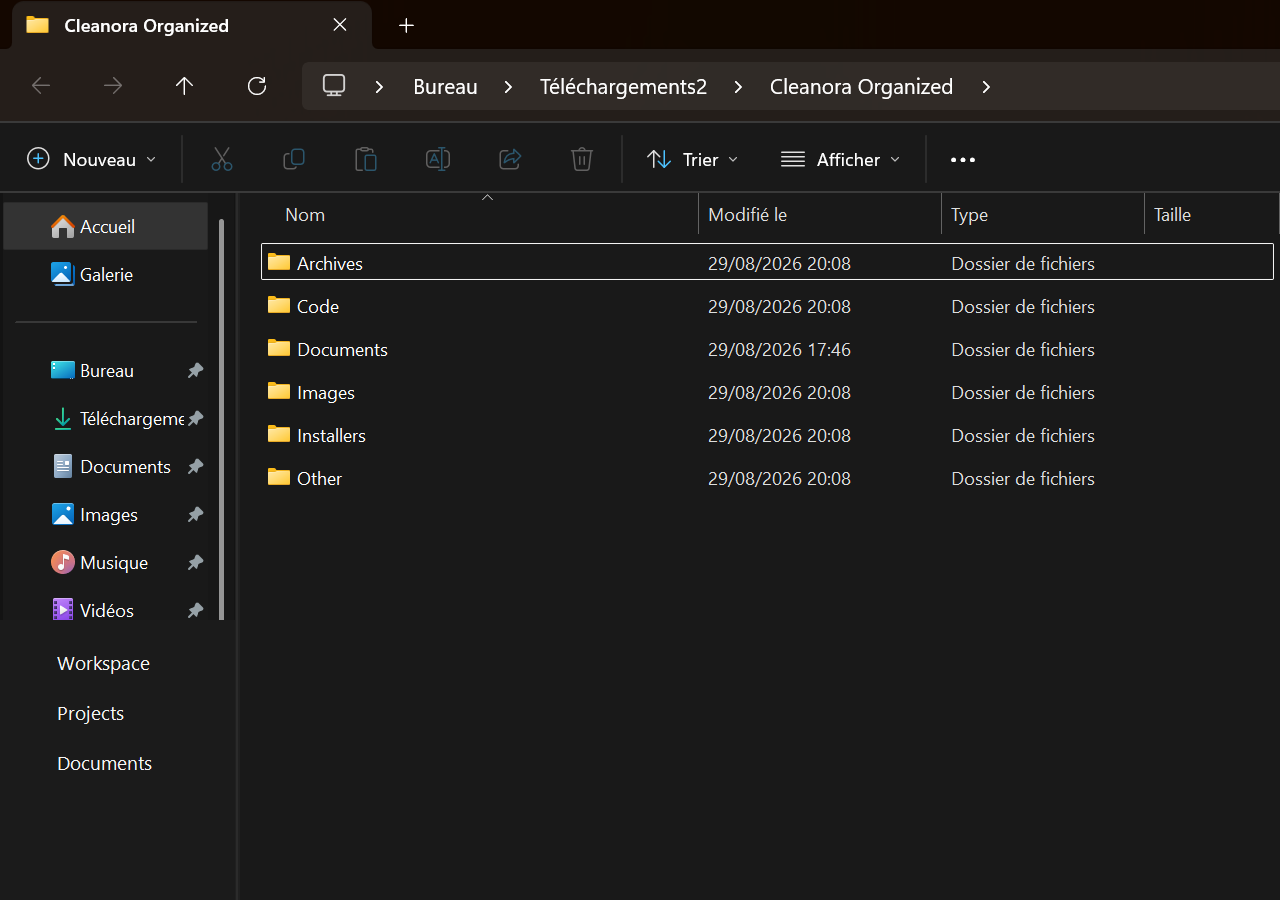
No accuracy percentage or real-folder speed guarantee is inferred from the regression-suite runtime. Those require a larger labeled dataset and repeated end-to-end measurements.
The regression suite verifies that the scanner can stay metadata-only, skip its own output tree and reparse points, respect file limits, and produce stable classification destinations. Execution tests cover changed source files, occupied destinations, interrupted moves, audit integrity, and undo conflicts.
Those checks prove expected behavior for defined cases; they do not prove that every ambiguous filename belongs in the category a particular user prefers. Cleanora therefore exposes the exact plan and lets the user exclude items before confirmation.
Screenshot_2026-08-20.png
Images/Screenshots, with the filename signal included in the reason
report.pdf
Documents/PDF, with the .pdf extension included in the reason
The page separates automated checks from the user acceptance test that matters on a real folder.
| Option | Best for | Tradeoff |
|---|---|---|
| 58 backend tests | Scanner, planner, move, conflict, audit, undo, and licensing regressions | Defined fixtures cannot represent every user filename |
| Real interface captures | Showing the selectable modes and resulting category folders | Screenshots do not measure throughput |
| Copied-folder acceptance test | Checking whether the proposed structure fits your workflow | Requires a short human review before applying changes |
No. The tested planner uses filenames, extensions, modified dates, and filesystem metadata. The current planner does not read file contents.
No. They cover known regression cases. Permissions, security software, storage errors, and external changes can still interrupt a real operation, so backups and a copied test folder are recommended.
A consistent rule can still be wrong for a person's preferred folder structure. Preview makes that preference visible before any selected file moves.
Classify files locally on Windows, review exact destinations, then apply only the file moves you approve.
Download for Windows Get the complete bundle